| The Comments |
Anybody noticed any problems with this site in IE9? Apart from the left hand column ads not being aligned with the posts, and having to scroll down below all the posts to see them (which happened with IE8 as well, not that I'm complaining!) I've found the insert photos & smiley buttons won't work. Also noticed rather strangely that lower case "w"s and "v"s seem to appear rather faint in posts.
Edit: running in compatibility mode solves these issues, but a couple of bits of the page still seem to be mis-aligned:

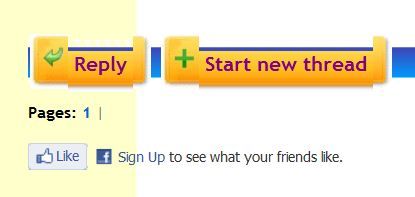
Not a problem - just wondered if anybody else is using IE9 and getting this?
(P.S. sorry Justin if I'm causing headaches for you - wouldn't it be nice if all browsers were the same?!) This message was last edited by Roberto on 03/05/2011.
_______________________
"Get your facts first, then you can distort them as you please"
Mark Twain
 0
Like
0
Like
|
Roberto Hi;
Just out of curiosity I ran EOS in IE7 and it does the same thing that you are seeing in IE9.
This is an EOS site compatibility problem with IE 'cos it works just fine in Firefox...
Wifey develops many websites always using FF and its so frustrating when she checks to see what they look like in IE only to find various errors. Its not always the same solution either so can't suggest anything. Its something to do with the version of HTML that is used to set up the website. Apparently HTML5 is the correct version for both IE7 & IE9. Also IE9 has compatibility issues with Javascript too. Consensus of opinion is that IE9 is a load of garbage.
There is an add-on for Firefox called Web Developer which can be used as a tool for finding web page errors.
If you have any other websites that give problems in IE9, I would suggest deleting this version and reverting to IE8 which is an altogether better version of IE (if there is such a thing as a good version of IE!)... Either that or use Firefox....
fb
_______________________

http://www.facebook.com/ruido.blanco.773
0
Like
|
|
|
|
|
Makes no difference. Switching OFF compatibility mode actually solves the problem at the top right of the page, BUT the smileys and insert picture functions then don't work! And the reply and new thread buttons are still squiffy.
I'm not really bothered about these things, the site is still functioning (except for smileys and inserting pics if not running in compatibilty mode of course!) I just wondered what others were experiencing. For you, Justin, the ads not appearing alongside the posts is probably a more pressing issue? But please don't lose any sleep over it on my account!
_______________________
"Get your facts first, then you can distort them as you please"
Mark Twain
0
Like
|
|
Or to just update your OS, Justin! ;)
0
Like
|
Justin's PC creaks running on XP - so no chance of W7 running on it! lol
Mind you, he probably hasn't done any house cleaning on it since I did it for him 2 years ago!!! lol
I'll u/g to IE 9 on my laptop - needed an excuse - an see what happens!
_______________________
www.andalucianstyle.com
Me, the Mrs and Rosie too! But we'll never, ever forget our Tyler!
We support AAA Abandoned Animals Marbella - Do you?
0
Like
|
|
Well....
Am now running IE 9 on WIn 7 SP1 and...
No probs so far with the display... but....
The smiley option defo does not work... it greys out the reply page and then just hangs!
And the same for the insert photo option...
And insert link option!
And then you have to close down the reply without replying!
Edited to say:
Edit function still works!
And also, the site seems really fast... it was always fast... but now... swoosh! Different page.
This message was last edited by TechNoApe on 04/05/2011.
_______________________
www.andalucianstyle.com
Me, the Mrs and Rosie too! But we'll never, ever forget our Tyler!
We support AAA Abandoned Animals Marbella - Do you?
0
Like
|
|
_______________________
0
Like
|
Techno - you need to switch to compatibility view (the button towards the right of the address bar)
_______________________
"Get your facts first, then you can distort them as you please"
Mark Twain
0
Like
|
|
Hate to tell you Justin - no change here at all. Have to use compatibility view or else everthing freezes the moment you try adding a smiley or photo; and in comp. view, the same things are still squiffy if you know what I mean. Oh, and the left hand column ads are still below all the other page content. Sorry. 
_______________________
"Get your facts first, then you can distort them as you please"
Mark Twain
0
Like
|
|
|
 Sorry, no change. Sorry, no change.
_______________________
"Get your facts first, then you can distort them as you please"
Mark Twain
0
Like
|